Introducing Lenny: Your new AI-driven Lending Criteria Assistant

Steven Bromley
03 Jun, 2026

Subscribe to our Newsletter on all things later finance
Join our monthly newsletter today.
By subscribing, you agree to our Privacy Policy and to receive our newsletter.
Lenny is our new AI-driven lending criteria assistant, designed to support advisers with fast, reliable access to Pure Retirement’s product lending criteria.
This digital support assistant is available 24/7 and helps you check lending criteria by matching your question to the most relevant topic across our products. Lenny forms part of our ongoing commitment to improving adviser support and investing in smarter, more efficient ways of working in later life lending.
To use Lenny, you’ll need to be registered with Pure Retirement. You can log into the adviser portal or use our online form to start your registration.
Where to find Lenny
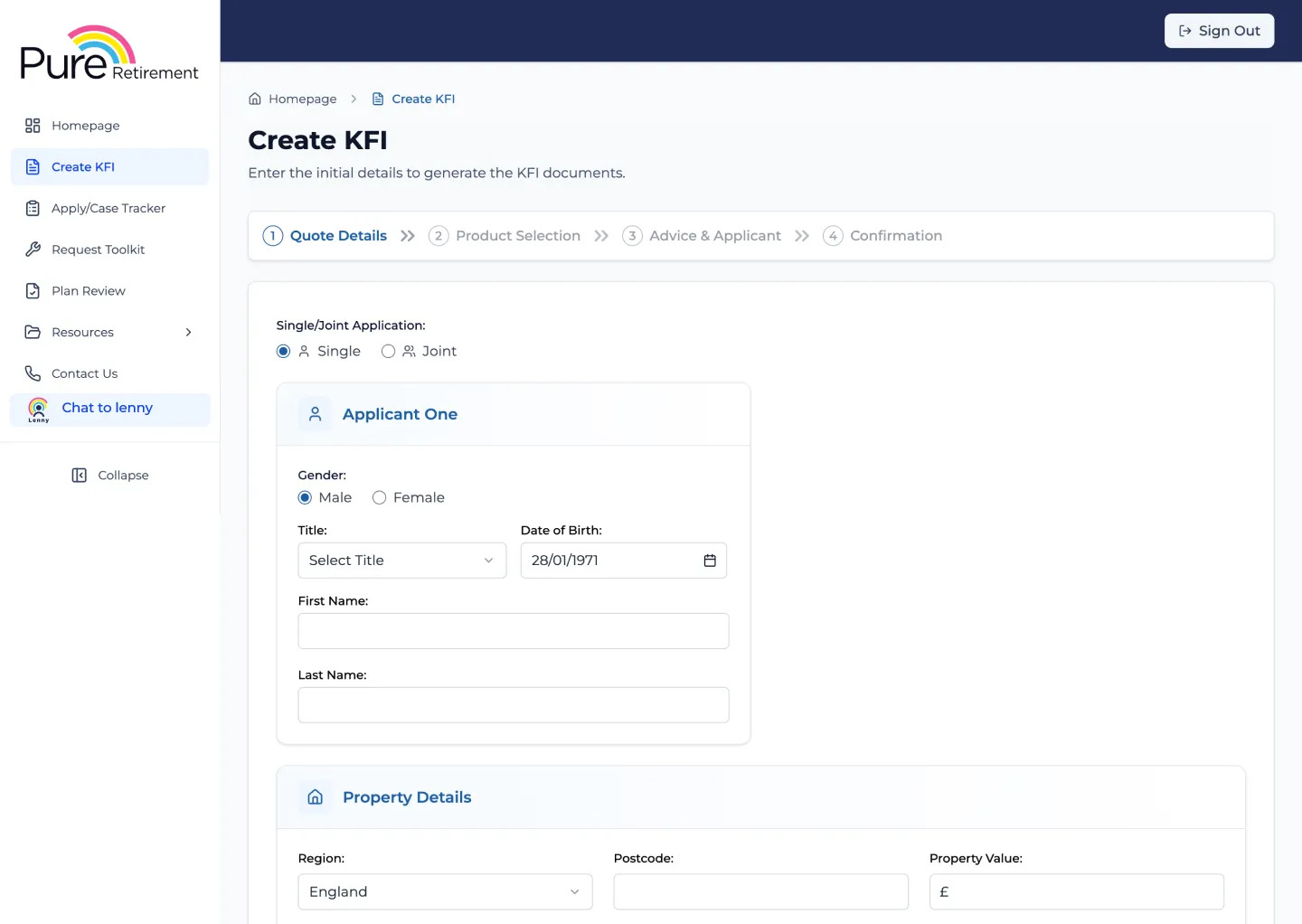
Lenny is located on the Pure Retirement adviser portal, in the left navigation bar. Once you click the ‘Chat to Lenny’ item, a pop-up will appear and you can start your enquiries regarding lending criteria.
PDF Download: Once you have the information you need, you can download it as a PDF with one click and save it as part of your audit trail.
Disclaimer: The results Lenny provides are based on the information available at the time and are intended as a guide only. They do not constitute financial advice or a lending decision. For more information, email or call our Sales Support team.
How to use the AI-driven lending criteria assistant
Lenny works similarly to your average AI chatbot; the only exception is that Lenny is a specialist in lifetime mortgage lending criteria. Lenny provides criteria guidance, not underwriting decisions. Some cases may still need referral to Pure Retirement for confirmation.
Overall best practice tips
-
Ask one topic at a time
-
Use follow‑up questions to assess additional risks or features
-
Add the product name once it’s confirmed
-
Treat each response as part of a wider client scenario
Try to avoid:
-
Packing multiple unrelated topics into one long question
-
Starting a new chat when you’re still checking the same client
Prompt guide for our lending criteria chatbot
We suggest trying out different prompts when using Lenny to see what works best for your current case. You can use Lenny for quick lookups, full questions, or step‑by‑step client scenario checks.
1. Quick lookups
If you know the lending criteria topic, you can search using a single word or short phrase.
Examples:
-
CCJ
-
Solar panels
-
Flat roof
-
Pylons
-
Japanese knotweed
-
Flood risk
Lenny will return the most relevant criteria section automatically.
2. Full questions
You can also ask questions in plain English. We recommend this approach, as this is often the easiest way to get clear answers for more complex scenarios.
Examples:
-
“Are CCJs acceptable?”
-
“Can a property with a flat roof be considered?”
-
“Are solar panels leased to a third party acceptable?”
-
“What’s the criteria for pylons near a property?”
Lenny will work out the best‑matched criteria topic for you.
3. Topic + product
If you want to narrow your answer to a specific product, include the product name in your query. This gives the most targeted results.
Examples:
-
CCJ Classic
-
Solar panels Emerald
-
Flood risk Sovereign
-
Flying freehold Heritage
4. Step‑by‑step client scenario checks
Lenny works best when you use it to build a client scenario step-by-step, just like a real adviser conversation. You don’t need to ask everything in one question, as you can layer your queries as you go.
Example Conversation Flow
You might start with eligibility:
-
“Are CCJs acceptable?”
Once you know the product:
-
“My client qualifies for Classic.”
Then check property characteristics:
-
“What about the flat roof criteria?”
-
“And pylons?”
Lenny will carry the context forward and return the most relevant criteria for each follow‑up question.
When to restart the chat
-
You can ask around 15 questions per conversation
-
If you’re starting a new client or a completely different scenario, begin a new chat so Lenny resets the context
Start your chat with Lenny
For the best experience when using our new AI-driven lending criteria assistant:
-
Use natural, plain‑English questions
-
Add the product name where relevant
-
Take a step‑by‑step approach
-
Restart the chat for new scenarios
Log into the adviser portal to chat to Lenny >
As a newly launched tool, we welcome your feedback on Lenny. It has been carefully tested, and your insight will help us continue refining it to better support you.
Our resources
Explore more of our resources tailored to supporting equity release advisers like you in succeeding.

 4 minute read